Free Shift Calendar Generator
Turn your rotating work schedule into a month-by-month calendar. Check day shifts, overnight shifts and days off, then download one ICS file for Google Calendar, Apple Calendar or Outlook.
Set your rotation
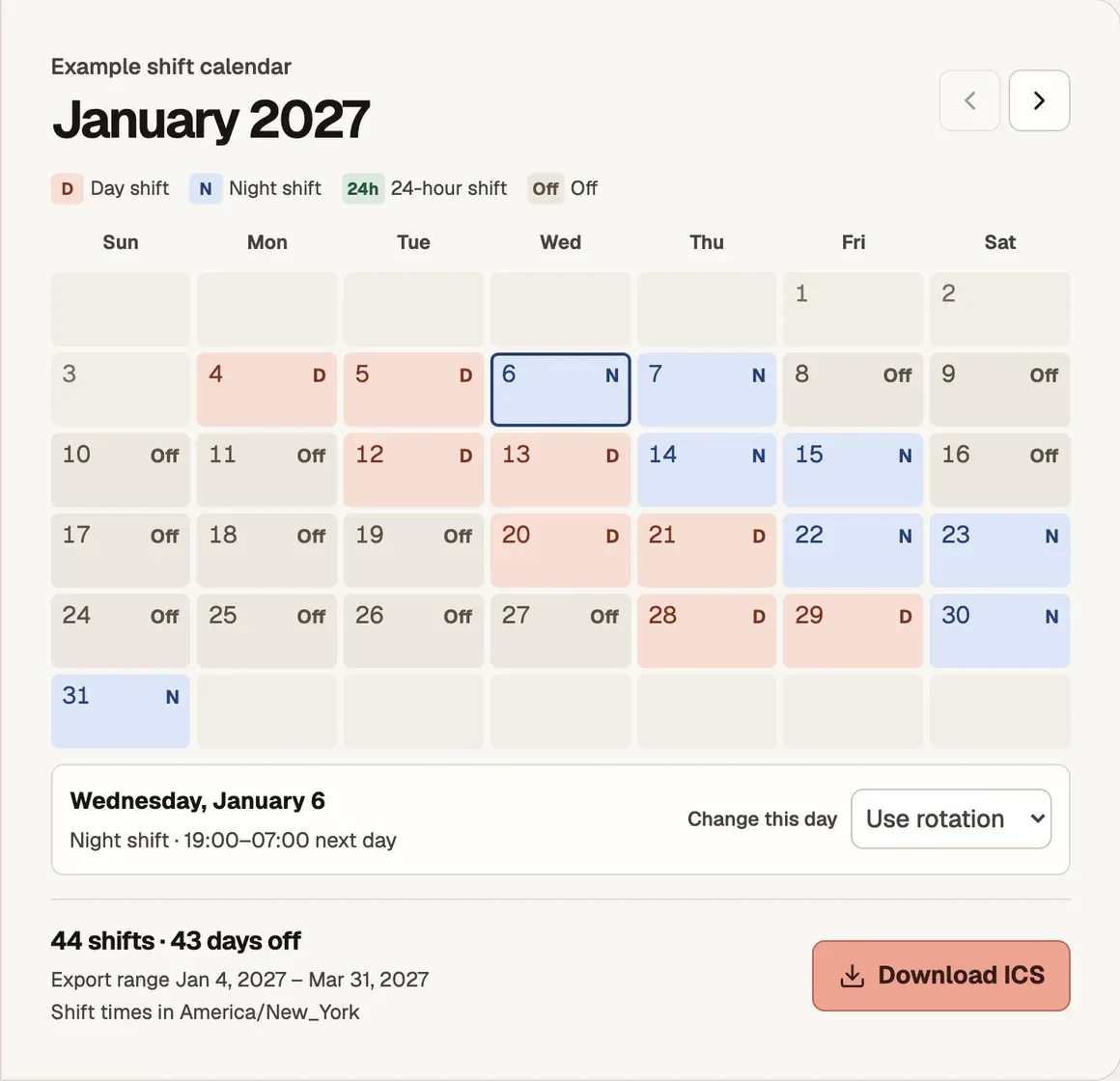
Example shift calendar
January 2027
- Day shift
- Night shift
- 24-hour shift
- Off
Day shift · 07:00–19:00
See how each rotation looks
How to use the shift calendar generator
- Pick a shift pattern. Choose 4 on, 4 off, 2-2-3, a 24-hour rotation or Custom rotation. Start with the sequence for your own crew. Two crews can use the same rotation and start it on different dates.
- Set the cycle start, dates and hours. Enter a date that matches the first position in your rotation, then choose up to 366 days to include. Open Shift start and end times to match your roster and select the time zone where you work.
- Check the preview and download ICS. Open a date to check its hours. Use Change this day for a swap or day off, then download all work shifts in the selected range. The month arrows move the preview within that range.
How do I add a 4-on, 4-off schedule to Google Calendar?
Select 4 on, 4 off in the shift calendar generator and set Cycle day 1 to the first of four consecutive workdays. Preview the dates, choose Download ICS, then import the file into Google Calendar on a computer. Each work shift appears as a timed event.
For example, if your first shift is Monday, February 1, 2027, you work February 1–4, have February 5–8 off and start the next work block on Tuesday, February 9. The pattern repeats every eight days, so the next block starts on a different weekday. Set Include from and Include through to the period you want in your calendar.
What if I start partway through my shift rotation?
Use an earlier date when your cycle began, then set Include from to the date you want to start exporting. For example, if your first block began on February 1 and you only need shifts from March 1 onward, keep February 1 as the cycle start. The preview will show the correct position in the cycle on March 1.
Check a known workday and a known rest day against your roster. If both are out of step, check the pattern and cycle start. If only one date changed, adjust it in the preview.
How do I add night shifts that go past midnight?
Enter the start and end as local times in Shift start and end times. For a shift from 7 p.m. to 7 a.m., set Night starts to 19:00 and Night ends to 07:00. An earlier end time lands on the following date. Each overnight shift stays together as one event, even if it starts on the last date in your export range.
Choose the time zone of the workplace. If you are traveling or setting up someone else’s calendar, the device time zone can differ from the one on the roster. Open a night shift in the preview to check its hours before downloading.
How to import your shift calendar from an ICS file
Save the file with Download ICS, then choose the calendar where you want your shifts to appear. A separate work calendar makes it easier to find or replace a batch of shifts.
- Google Calendar on a computer. Open Settings, choose Import & export, select the ICS file and pick your destination calendar. Click Import. Google Calendar import instructions
- Apple Calendar on a Mac. Open the File menu, choose Import, and select the ICS file and destination calendar. Apple Calendar import instructions
- Outlook on the web. Open Calendar, choose Add calendar, then Upload from file. Select the ICS file and the destination calendar, then import it. Outlook calendar import instructions
After importing, check the first shift and one overnight shift in the destination calendar. If you changed a single shift after importing, you can edit that event directly in your calendar app.
Shift calendar generator FAQ
Can I make a calendar for three days on and three days off?
Choose Custom rotation and enter DDDOOO for three day shifts and three days off. Set the first workday of a block as the cycle start. This repeats every six days and follows the rotation across calendar weeks. For three night shifts followed by three days off, use NNNOOO.
How do I check a 2-2-3 shift schedule?
The 2-2-3 preset repeats every 14 days. In the example with a Monday start, you work Monday and Tuesday, then Friday through Sunday in week one. In week two, you work Wednesday and Thursday. Check the first two weeks against your roster, especially if your crew alternates between day and night shifts. Use a custom cycle when you need separate day and night blocks.
Can I make a custom day and night rotation?
Enter DDNNOOOO for two day shifts, two night shifts and four days off. Use F for a shift that starts and ends at the same local time on consecutive days. A custom cycle can contain up to 42 days.
What happens when the clocks change during a night shift?
The tool uses the work time zone on both dates. A 19:00–07:00 shift can be 11 hours when the clock moves forward or 13 hours when it moves back by an hour. If a start or end time is skipped, choose a valid time to continue. If the same local time occurs twice, the tool uses the first occurrence.
What does a 48/96 shift calendar export?
The 48-on, 96-off preset exports two back-to-back shifts. Each ends at its start time on the following date, so a clock change can affect the elapsed hours. The four rest days appear in the preview. The ICS file contains work shifts only.
How do I re-import my shifts without duplicates?
The ICS is a snapshot of the shifts shown at download time. For a new export that covers existing shifts, remove the old events for those dates or replace the dedicated work calendar before importing. If you only need to extend the schedule, start the new range on the day after the last date in your previous export.
Do I need an account, and where does my schedule go?
You can generate and download an ICS file for free without signing in. Your schedule and example backup stay in this tab while you browse this site. Refreshing the page restores the example. Read the privacy policy.
What if I already have a photo or PDF of the roster?
Use Work Schedule to Calendar to extract the dates and times from your published roster and review them before import.