Free Add to Calendar Link Generator
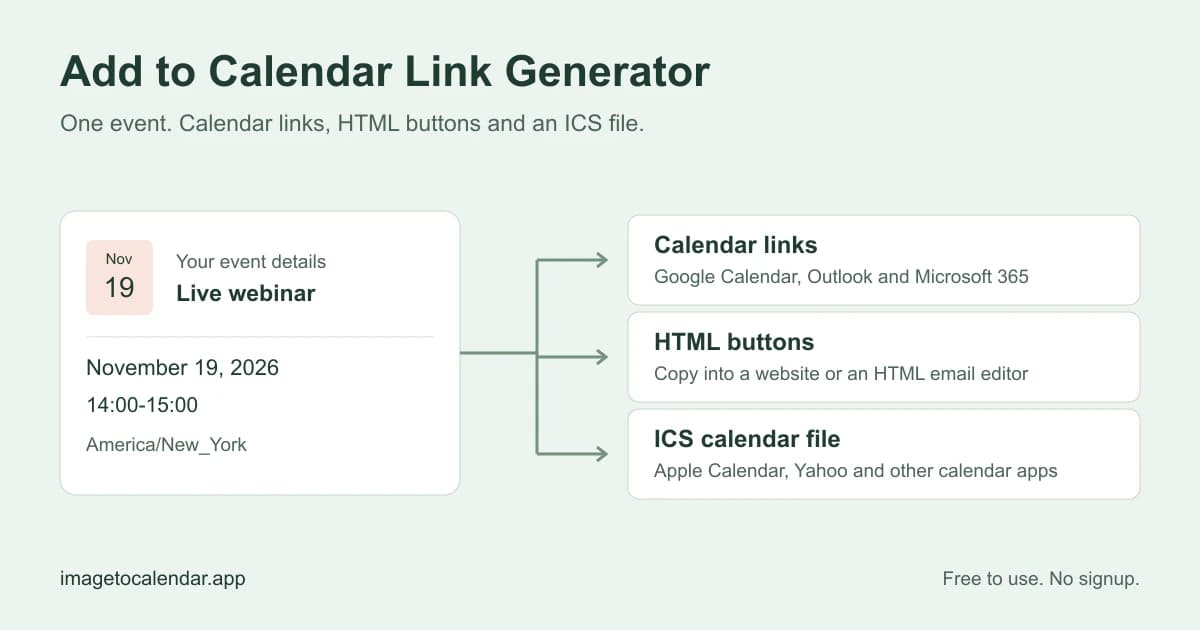
Use this free add to calendar link generator to turn event details into ready-to-share calendar links. Enter your event once, preview the result, then copy links for Google Calendar and Outlook or download an ICS for Apple Calendar and Yahoo.
Your event
Choose where the event happens.
Links update as you type. Free, with no account or credits needed.
Your calendar links
Example event · Live webinar
Designing a calmer workday
Nov 19, 2026
14:00–15:00 · America/New York
Online
Event description
A practical workshop on making room for focused work. Bring your questions.
Copy a link for your email, invitation, or website.
For Yahoo Calendar, use the ICS file below to keep this event’s time and dates intact.
Download once, then attach it to your invitation.
Opening a link creates a draft in the chosen calendar. The guest reviews and saves it.
See what you can share
Load an example into the tool, then change it to fit your event.
What does an add to calendar link generator do?
An add to calendar link generator turns an event’s title, dates, times, timezone, location and description into a link that opens a prefilled calendar event. Your guest reviews the details and saves the event to their own calendar. Use it for a webinar invitation, workshop announcement, community meetup or event page with a fixed date.
How to use the add to calendar link generator
- Describe your event
Enter a title, dates, times and timezone. Add a venue or meeting URL. For overnight events, choose the next day as the end.
- Review the result
Check the preview and open a calendar link. Try the webinar, two-day workshop or evening meetup examples.
- Share a link or button
Copy a link into your invitation, use the HTML in an editor, or attach the ICS for Apple Calendar and other apps.
Which calendar link should I share?
Share the Google Calendar link with Google users, the matching Outlook link with Microsoft users, and an ICS file with Apple Calendar or desktop calendar users. There is no single hosted event link in this tool. When you do not know which calendar your guests use, offer the generated buttons together and include an ICS option.
| Calendar | What to share | What your guest does |
|---|---|---|
| Google Calendar | Google Calendar link | Opens the prefilled event and chooses Save. |
| Outlook.com | Personal Outlook link | Signs in to their personal Microsoft calendar and saves the draft. |
| Microsoft 365 | Work or school Outlook link | Opens the event in their organization’s web calendar. |
| Yahoo Calendar | ICS file; direct link for single-day all-day events | Reviews the dates and saves or imports the event. |
| Apple Calendar | ICS attachment or hosted file link | Opens the calendar file and chooses where to add it. |
Add calendar buttons to a website or email
Expand Website & email buttons in the result panel. The preview shows the same links as the generated HTML. Copy the snippet into a custom HTML block in your website builder, newsletter or email template. If your editor only accepts a button URL, use an individual calendar link instead.
To add an Apple Calendar button, first download the ICS file and upload it to a public location on your own website. Paste that HTTPS address into the optional field. The snippet then includes the file link; it does not rely on a temporary browser download or an embedded script. Send yourself a test email and open its buttons before sharing with guests.
For calendar files, the tool follows the iCalendar format. If guests prefer importing a file on a computer, see Google’s calendar import instructions.
How do I put an add-to-calendar link in an email?
Copy a calendar URL from the result panel and use it as the destination of a text link or button in your email editor. For example, label a Google link Add to Google Calendar and an Outlook link Add to Outlook. The label tells guests which calendar will open; the generated URL carries the event details.
For Apple Calendar and desktop Outlook, attach the ICS or link to a hosted copy. See Microsoft’s guide to calendar links in email and Klaviyo’s calendar button instructions for instructions.
Calendar link generator questions
How do I create an add-to-calendar link?
Enter the event title, dates, times and timezone. Copy the link for your guest’s calendar, or open it to review the draft. For website or email buttons, expand the HTML section. Guests choose whether to save the event.
Can I create calendar links without coding or signing up?
Yes. This free add to calendar link generator needs no account, calendar connection or API key. Fill in the event, review it and copy a link. Guests may need to sign in to their calendar provider to save the event.
Can one link work with Google Calendar, Outlook and Apple Calendar?
This tool creates separate Google Calendar, Outlook.com and Microsoft 365 links, plus an ICS file. It does not host a universal event page. For a mixed audience, offer the calendar buttons together and include your hosted ICS link. For one recipient, send their calendar link or the file.
Is this calendar link generator free?
Yes. Generating links, copying HTML and downloading an ICS file are free, without an account or AI credits. You can edit and create another event on this page. File hosting, registration forms, RSVP collection and automatic reminders are not included.
How do I make an Add to Google Calendar button?
Copy the Google Calendar URL and use it as the destination of a button in your website or email editor. For ready-made links, expand Website & email buttons and copy the HTML. The URL includes your event title, start, end, location and description. Test the link before sending your invitation.
How do I add a calendar link to a Gmail or Outlook email?
Copy the generated calendar URL. In your email composer, select text such as Add to Google Calendar, choose Insert link and paste the URL as the destination. For a newsletter, put the URL in a button’s link field, or use the generated snippet in an editor that accepts custom HTML. Pasting raw HTML into a normal message body does not reliably create buttons. For Apple Calendar or desktop Outlook, attach the downloaded ICS file or link to an accessible hosted copy. Send yourself a test message before sending it to guests.
How do Apple Calendar and iPhone links work?
Apple Calendar uses an ICS file rather than a web event-template link. Download the file and attach it to an email, or upload it to your own website. Paste the public HTTPS file URL into the HTML section to include an Apple Calendar / ICS button. A file on your computer is not a public share link. How the file opens on iPhone depends on the browser and mail app.
Will guests see the correct local time?
Choose the timezone where the event takes place, rather than each guest’s timezone. Timed events are converted to UTC, and calendar apps display the corresponding local time. Times skipped by a daylight-saving change are rejected. If a time occurs twice, choose the earlier or later occurrence. All-day events preserve calendar dates without a timezone.
Can I create all-day, multi-day or repeating events?
You can create a single timed, overnight, all-day or multi-day event. For all-day events, enter the last included day; the tool calculates the exclusive end date required by calendar formats. Yahoo links may ignore timezone information and cannot reliably preserve a multi-day all-day event, so those events use an ICS download. A direct Yahoo link is available for single-day all-day events. For a recurring series, use the linked ICS File Generator.
Will changing a link update an event someone already saved?
No. Each link opens a new event draft, and an ICS download is a snapshot. Changing this form does not update saved events, notify guests or cancel an older copy. If you added a hosted ICS address, editing the event clears it: download and upload the updated file, then paste its address again. Send corrected details when plans change, and ask guests to update the existing event to avoid duplicates. This tool does not send meeting invitations or synchronize calendars.
Does an add-to-calendar link collect RSVPs or send meeting invitations?
No. Calendar links let guests save an event copy without reporting who saved it. For attendance responses, send a meeting invitation or use a registration service. For guests to choose an available time, use a booking tool. These links are for events with a fixed date and time.
Are my event details private?
Link generation and ICS downloads run in this browser. The form is not saved in browser storage or uploaded to our server. Analytics record actions and output formats, without your event text. Generated URLs contain the event details, so anyone with the link can read them. Opening a calendar link sends those details to the chosen calendar provider; sharing a link or HTML shares the details with its recipients.
Why does an Outlook link open without my event details?
Use Outlook.com for a personal Microsoft account and Microsoft 365 for a work or school account. Sign in to the matching calendar, then open the generated link again. Login redirects and app behavior can discard prefilled fields. If that continues, download the ICS file and import it into the intended calendar instead.